Showing posts with label Windows. Show all posts

Friday, 11 August 2017

Best web browser for Android Tablet and Smartphone 2017 ~ gniithelp

Best web browser for Android
Smartphones Smartphones everywhere, But no good browser to use. We have wide variety of smartphones now. They are increasing in number day by day. The growth is exponentially increasing. We have hundreds of applications over play store. Most of them are free but the paid ones are also good. We have application for almost everything now say its medical, shopping, ticket booking etc etc. but we cant do everything in apps only.
A good browser is as important as a good smartphones. Where ever we are stuck or in whatever confusion we face with situations we just click on our web browser Google it or whatever is necessary. There are many browsers available over internet and Google play store. There are times when we get stuck between redirects because of apps, mobile sites and link  Shortners. I have been facing this problem so many times that sometimes a browser is not good enough too any adds pop up they redirect you to some advertisements and you are annoyed. Well don’t think too much because this one is quick and easy.

Best web browser for Android Tablet

Link Bubble.. it is increasing the numbers of downloads after users come across it and find it working really good. It is really rolling very good on Google play store. It is an awesome floating browser. It looks good and feels good to. Let’s roll over to its feature and installation procedure.

Step to install link bubble browser in Android Tablet

Step 1: go to Google play store option in your phone.
Step 2: Enter the name “link bubble” in the search option provided above in the right most corner. Do prefer search one because searching manually consumes too much of time.
Screenshot_2015-01-21-15-08-57[1]
Step 3: lite version one is paid and pro version is freely available. Select the one you wish to use.
Step 4: Install it, accept the provided options and use it.
Screenshot_2015-01-21-15-10-31[1]
Read More »

Best Free Animation Software for Windows PC and Laptop ~ gniithelp

On a lookout for some Best free animation software for your PCs? There is so much you can do with them, create movies, give voices to characters and also create your character. All those people who are into animation have a lot to explore and choose from indeed. The animation is fun, and people who take it pretty much seriously might find it quite a task to find the best Animation software or choose from the so many.
Best Animation Software

There is so much that one can get from the internet, create motion pictures and 3D characters, etc. Software help you work with animation tools, various formats as well as images, etc. Animations are used in a lot of fields, be it in the cartoons or in the advertisements, in presentations and a lot more. They can be used anywhere, and they shall only enhance the overall appeal of the idea.

10 Best Free Animation Software for Windows PC and Laptop

For those who have creative minds and actively work with various special effects and animations, you might obviously want for yourself the best animation software, and here, in this article, we will list for you the top ten best animation software. for Windows PC laptop.

1. Cinema 4D Studio

Cinema 4D Studio

Cinema 4D Studio is another top animation software, and the overall look and feel of the software are quite intuitive and user-friendly. With the help of this animation software, you can easily create character rigs and advanced character animation, given the range of character tools it has. The software is indeed one great choice for all the animators out there. In addition to that, it keeps in mind the motion graphics!

2. Aurora 3D Animation Maker

Aurora 3D Animation Maker

Aurora 3D Animation Maker is among the best animation software, and it has a range of features available for use. There are an endless number of animations available, and at the same time you can add watermark to the images or videos, create special effects, etc.
The user interface for this software is pretty simple and thereby adding animation effects to your videos or movies or pictures wouldn’t be a problem at all. What makes Aurora 3D Animation Maker even better for you is that you can first download the trial version (available for free) and then move on to the purchase. Maybe your answer to what is the best animation software could be Aurora.

3. Autodesk Softimage

Autodesk Softimage


Autodesk Softimage is another great 3D animation software which is used by all the professionals in games, movies and broadcast television. Also, it is a standalone animation software package which has an excellent choice of tools and features to choose from. This software is an ideal choice for those who need to use the animation software as modelers and animators.

4. Blender

Blender

Blender is a good animation software and is used by people at all level, whether amateurs or experts, at studios as well as VFX experts, students, animators, game creators, etc. It is fully free and open source 3D creation software.
Blender has some cool animation programs which makes it a favorite of people from all works of animation and its features range from texturing, animations, lighting, post video creation needs, etc. also, Blender supports cross-platform inter-portability which makes it an ever more easy to use animation software.

5. Autodesk Maya

 Autodesk Maya

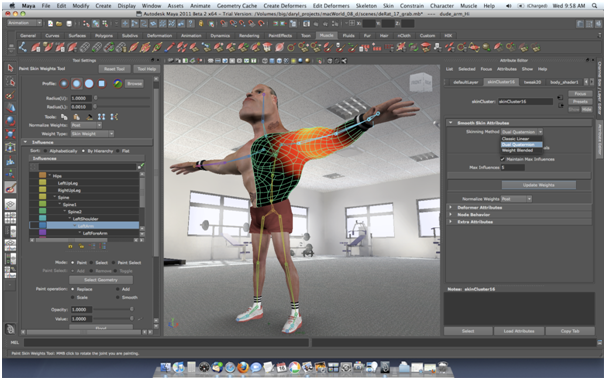
Autodesk Maya is one of the best 3D animation software. With the help of this one, you will be able to create and develop 3D scenes, people, games and of course movies. The software has some cool features which aren’t very complicated, and they will feel nothing less of real.
The animation software is perfect for working with modeling, coloring or animating. It is also an excellent choice for creating games and broadcast television. However, one thing that is about the software is you need patience until you learn all the big and small parts of it and excel at it.

6. Autodesk 3ds Max

autodesk 3ds Max

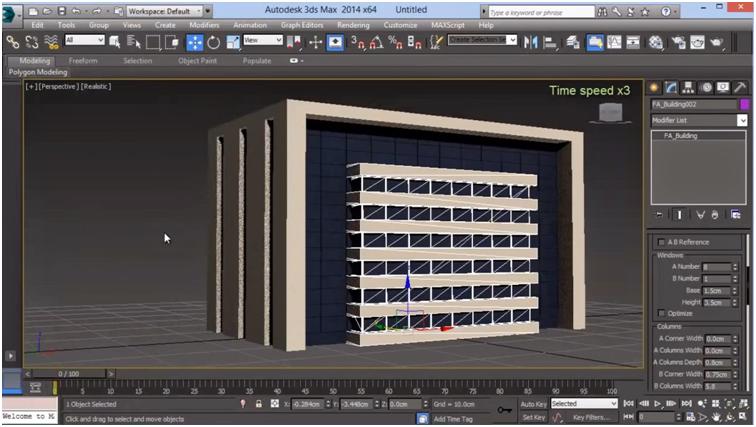
Autodesk 3ds Max, another good 3D animation software which works with the principle of upon polygon modeling. This software lets you created 3D like images such as pyramids, cones, etc. that form the basis for your models. The software is used for working with major projects, and it is only a matter of time until you will find the software pretty easy to work with. You can as well download plugins to extend its capabilities

7. Modo

Modo

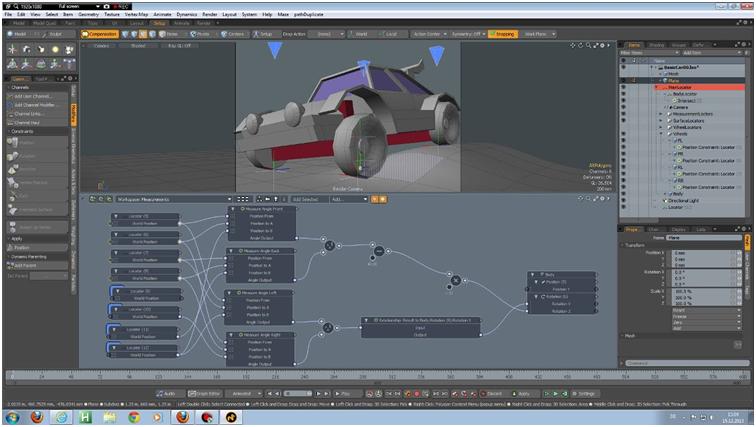
Modo is professional 3D animation software which allows you to work with multiple features and aspects such as sculpting, modeling and , ainting 3D models. It has a very minimalistic kind of approach as far as the tools are concerned; however, it is efficiency remains unquestionable. Modo is that kind of software for animation which bridges the difference between reality and computer images.

 8. Autodesk MotionBuilder

Autodesk MotionBuilder


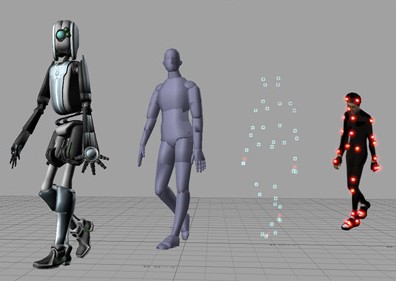
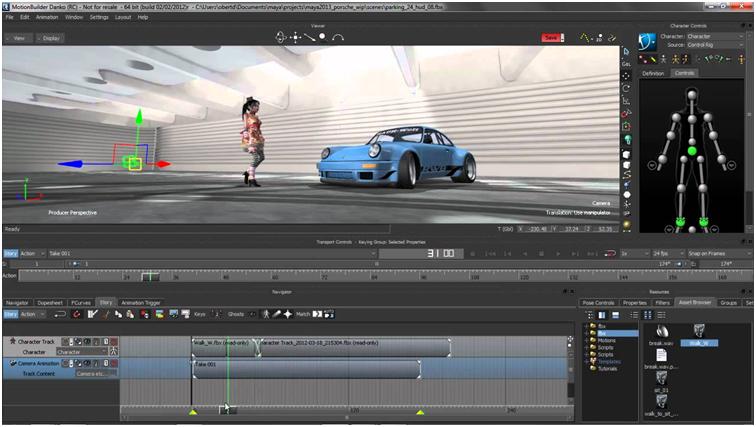
MotionBuilder is the kind of 3D animation software which is used for virtual production. This software helps in refining and manipulation of data. It works well in multiple environments and allows you easy capture, edit and playback of otherwise complex characters animation

9. Houdini

Houdini

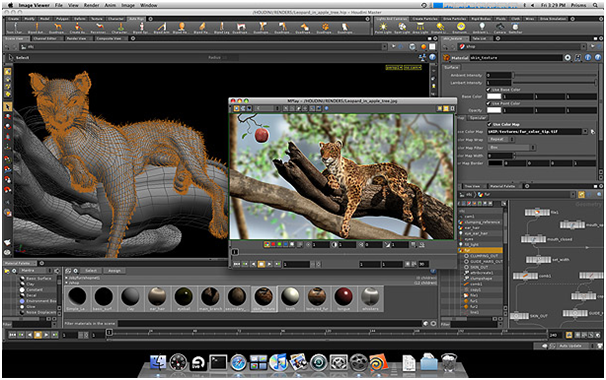
Houdini is one of the best 3D animation softwares, and its quality graphics is what make it the best. It allows you to work with tools that support various schemes such as modeling, texturing, rigging and animated 3D models. With this software for animation, you will be able to make a different world of 3D effects and content altogether.

10. Anime Studio

Anime Studio

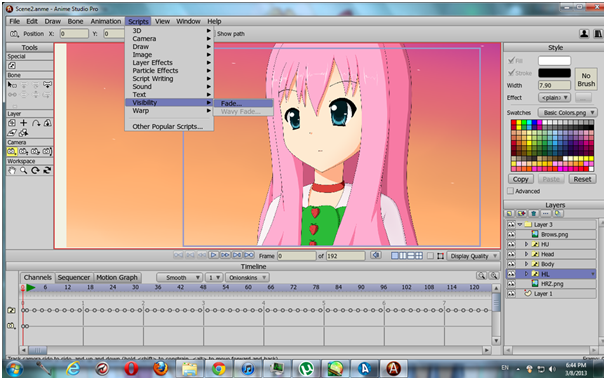
Anime Studio is again one of the best animation software in the market. It offers a range of features which are well loaded with all the tools you need to make you are animating easier. With the help of Anime Studio, you can manage to deliver professional content, and of course, when it comes to animation, it is always fun; same is the case with Anime Studio too. In addition to the fun, Anime Studio makes it easier to work with content which is yet to be animated and therefore, the animation is simple in here!

And this is the list of best animation software for Windows PC! We hope all your questions have been answered and you no longer will have to wander around in search of an animation software.
Read More »

Best Free PDF Editors Software For Windows & MAC (Easy to Use & Supportable PDF Editors ) ~ gniithelp

PDF is one of the widely used formats for most of the people who are into media houses or publications. The PDF (portable document format) has served best as academic books, guidance material about software and much more. PDF files are secured, easy to use and are reader friendly.
They are used for sharing digital documents. PDF files need to be edited in PDF editors. Most of the PDF editors available in the market do not come for free. And if there were to be one then it will come up with many sets of tools which go missing.
From among the many PDF editors, here we have selected the 10 best free PDF editors with their specifications for your convenience.

Sl.Editor NamePlatform
1.InkscapeFree BSD, Windows, macOS, Linux
2.PDF-Xchange ViewerWindows
3.PDFEscapeWeb
4.Foxit ReaderWindows, Linux, macOS, Android, Windows Phone, iOS
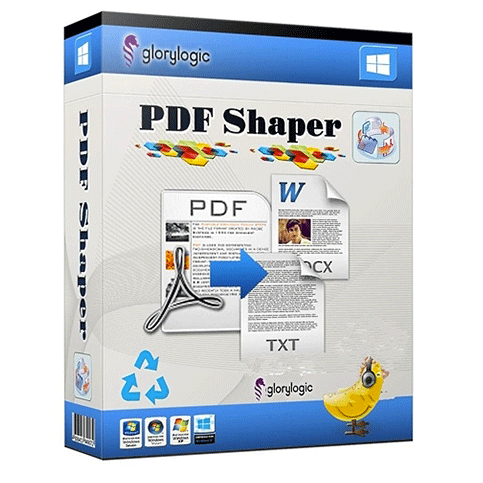
5.PDF ShaperWindows
6.AbiWordCross-Platform
7.PDF EditWindows. Unix-like
8.PDF SamMac (Sierra), Windows
9.Doc HubWeb
10AbleWordWindows
These are some of the top free editors for PDF files. A PDF editor can either be downloaded as software or can be performed online where you can split, merge, and modify your data. Whether you want to add content or delete unwanted contents from your file, this powerful software will be there to do the task for you. Some of the tools can also be used to fill PDF forms like PDFelement 6

10 Best Free PDF Editors for Window, MAC, iOS, Android

Before you intend to download any of this software or use them online for your PDF files, we give you a detailed analysis of their features so that it will be easier for you to download them. Bear in mind that some of the features of most of this software are available only in the paid version.

1. PDFEscape (Best Free Online PDF Editor)

If you are using Google Chrome browser, then you will no longer need Adobe Acrobat with PDFEscape. It is a free web app by Google and works even on Internet Explorer, Opera, Firefox, and Safari. The web app lets you add images from your system by just dragging to it. You can even add text files in the picture in a simpler way. Its desktop app is also available.
You can add or create different shapes and even hide personal details if you want. It has very user-friendly features and works fast even if the PDF file is of many pages. PDFEscape is available in two versions, free and paid.
In the paid version you will not be bothered by advertisements. Since it is from Google, you can even directly send the created PDF file directly through email.
ProsCons
√ Comes for free, you don’t have to get Adobe Acrobat.
⊗ The ads will just make you annoying.
 Has no watermarks. Tab button is not working, has to use space bar plenty of times.

1.Inkscape (Best Free PDF Editors Software )

What makes Inkscape unique from other PDF editing software is that it has an array of features which come as free to download. It has all the essential functions that are used for editing very complex files. Some of the popular features are adding or removing of extra pictures, deleting or adding of texts or other documents and bear a friendly interface. It is powerful and will serve as the best software for graphic designers.
Inkscape is one of the most credible alternates to Adobe Illustrator. It even supports extension to PNG formats. The best thing is that installing the file requires less space. The main tools are aligned down for user-friendly and ease.
You can draw with Inkscape and even tweak objects. Apart from that, you can also add multiple objects. Being one of unique PDF editors, the software has fewer competitors.
ProsCons
 Ample filter options available. The interface is simple and looks ordinary.

2. PDF-Xchange Viewer (Paid)

PDF-Xchange Viewer is another editor for PDF files which has a surplus of editing tools. It is one of the simplest software where the task can be done with ease. You can even find tools to check area, the distance of particular region in the file from a reference.
PDF-Xchange Viewer is a footnote centric editor which is one of the must have software for your computer. You can add pictures of any shape and that too with your preferred color. The best thing about this PDF editor is that you can even add callouts.

Using it comes with a little bit of knowledge as to edit a text you will have to insert a new rectangle, and then you will have to type your text. Here the document can be saved as a new PDF or can even be saved TIFF and BMP. The availability of this software has been restricted as it is now called PDF-XChange Editor and is not available for free.
ProsCons
√ Supports the customization of your files in many ways.
⊗ A bit tricky to use.
 Has striking looks. Using tools can be not easy.

4 .Foxit Reader ( Best Free PDF Editors Software for Window)

Foxit Reader is another free PDF reader available for Windows operating system. It can be used to create PDF files and also to add annotations. Foxit reader plugins are available for Word, Excel, and PowerPoint. You can add text or notes and even highlight, underline or strikeout text. It is featured with a security toolbox. You can also add a web plugin of the same. It is a powerful PDF editor and works fast.

You can also minimize the program to a system tray and create your icon. By doing so, the system will occupy less space. It offers a full feature editing tools. It requires less space and is faster and better alternative for other PDF readers. Foxit Reader has been awarded many accolades in the past. The best thing about this software is that you can even use it on your cell phone (smartphone).
ProsCons
 Nice and attractive user interface. Some of the features available only
For paid version

5. PDFShaper (Free/ Pro @29.95)

In PDFShaper you can merge multiple PDF files and create one PDF file. Here, you can convert PDF files to editable files. It offers you a variety of tools to operate PDF files. Not just combing, you can also split a single file into multiple files and save it as PDF, image or DOC.
It is easy to use and bears a clean interface. There is even an option of uploading digital signaturesand use them as passwords. You can add or delete pictures and even rotate them. PDFShaper is the best use to encrypt or decrypt PDF files, convert images to PDF or vice versa and also to crop pages.
ProsCons
 Easy to use and nice interface. A single PDF file when converted become multiple DOC files.
√ Rotate your images to any degree of your preference.⊗ ‎Lacks various tools.

6. AbiWord (User-friendly PDF Editors Software)

AbiWord is a free word processor that lets you do multiple programs. It supports basic word processing and has a high-speed access to PDF files. Data can be transported into various formats like DOC, DOCX, RTF, TXT, and XML. You can create and share your document and share it with different programs. It has a simple interface and is user-friendly. It has compatible editing tools and comes free. AbiWord is very similar to Microsoft Word, and it also can check spellings. The app supports many languages and that too with a strong editing tool.
It has compatible editing tools and comes free. AbiWord is very similar to Microsoft Word, and it also can check spellings. The app supports many languages and that too with a strong editing tool.

ProsCons
 Offers numerous font options. Scrolling of mouse can be an issue.
√ Quick and easy to use.⊗ Lacks the option of quick help.

7. PDFEdit

It is one of the sound PDF editors available today to Linux users. PDFEdit allows you to edit PDF files which can be accessed for free. The tools in the app let you add images and other files in the PDF file quickly. You can delete or add items according to your preference. It helps you to detect the exact phrase or word you are looking for.
You can personalize your tools and save the document into various formats. It has many advanced features, and you can even password protect the file. When you download and install the file, it consumes less space of your device. PDFEdit allows you to create your scripts with its scripting engine. It is based on the ECMAScript which is similar to the JavaScript.
ProsCons
 Managing tasks can be personalized. Using tools can be difficult.
Comes with advanced features for protecting the document.⊗ One of the complex PDF editors.

8. PDFSam (Basic)

PDF Split and Merge, popularly known as PDFSam allows you to create multiple files from a single PDF file. You can also combine multiple files into one single page. You will also find many other features which make editing simpler and better.
It serves as one of the best editors for newbies as the user interface is straightforward. You can rotate your document and down it to your preference. You can also do some other editing tools with PDFSam.
It is a lightweight app and requires less space to install. The basic version of PDFSam is free to download while there’s also the Enhanced version which comes with a price tag.
ProsCons
 Option to organize pages after editing. Lack of tools for the altercation.
Runs on any operating system which supports Java.⊗Most of the options are for the premium version.

9. DocHub

With an assessment of 4.5 stars out of 5-star user ratings, DocHub is one of the top PDF editors. The editing is primarily done online through Google Chrome. Even the largest PDF editing can be done in a quick time with its super excellent tools. Once done, you have the preference to save it quickly to Google Dive or Dropbox.
There are many tools where you can have powerful editing of your files in no time. Features such as highlighting converting to various formats are done with ease. DocHub is powered by 256-bit encryption which means you can always have people to come and work on your document.
DocHub is an alternative to various other top software which you can download and install. If you are not ok with the regular version, then you can always opt for the paid version for optimum results.
ProsCons
 Provides the option of form filling functionality. Unable to auto detect texts.
Viewing and editing unlimited documents Handling of large documents can be an issue.

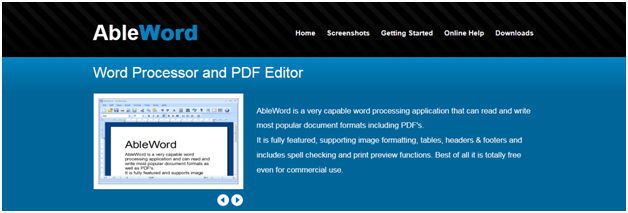
10. AbleWord (Top free PDF Editors)

AbleWord is one of the easiest to use and free PDF editors. It is specifically designed to work on Windows operating system and is one of the top preferred for a word processor. AbleWord is in fact meant to work for Word Processor. It can be used in all the versions of Windows and file formats can be saved to PDF, DOC, DOCX, HTML, and RTF.
It quickly converts file from PDF to word. You can also insert things like images of all formats and allows regular formatting. If you happen to edit the file, then just open the file and start editing at an instant. Apart from that, AbleWord also enables you to add custom user dictionaries and spell check options.
Just like MS Word, you can quickly see the number of words, pages, and paragraphs. It gives you an option to enable two views to see a document. It is effortless to use and easy to install.
ProsCons
 Includes standard formatting options. No update of the application.
Easy to use and simple design. Lacks the facility of auto check spelling.

Conclusion :
We have a list of  Best Top 10 free pdf editor. We can choose one of them according to our requirement and conveniences to edit the text or image in pdf files. For offline editing of pdf files Inkscape, Able Word is useful, and for online editing, DocHub is very efficient.

To edit multiple pdf files PDF Shaper is recommended because of its easy to use and feature of accuracy with nice interface. PDF sam is useful for combining multiple files or creating multiple files from single PDF.
Read More »

Wednesday, 2 August 2017

BabyCare Servlet Project java ~ gniithelp

BabyCare Servlet Project


Objective/ Vision

A software product which provides solution for baby health, baby food, baby tips, baby products, baby names, parenting etc. Here, user can view baby names, baby names by religion, baby tips, baby food and baby product. Admin can add and delete baby names.

Live URL

www.babycaresolution.com

Users of the System

  1. Admin
  2. Users

Functional Requirements

1. Admin
  1. Can login and logout.
  2. Can add baby names.
  3. Can view baby names.
  4. Can delete baby names.
  5. Can add new pages.
2. Users
  1. Can view baby names.
  2. Can view baby tips.
  3. Can view baby food.
  4. Can view baby products.

Non-Functional Requirements

  1. Secure access of confidential data (user?s details). SSL can be used.
  2. 24 X 7 availability
  3. Browser testing and support for IE, NN, Mozila, and Firefox
  4. Reports exportable in .XLS, .PDF
  5. Create a detailed UML diagram (Component, Sequence, Class) for the system and its sub-components

User Interface Priorities

  1. Professional look and feel
  2. Use of AJAX atleast with all registration forms and with every search option and at the id of each searched result with onmouseover event.

Tools to be used

  1. Use any IDE to develop the project. It may be Myeclipse / Eclipse / Netbeanse.
  2. Oracle 10g for the database.
  3. Server: Apache Tomcat/JBoss/Glassfish/Weblogic/Websphere.

Front End and Back End

  1. Front End: JSP, JDBC, Javascript, AJAX
  2. Back End: Oracle10g

How project works?

To get detail explanation about project download the document file. It includes snapshots with explanation.

Software Requirement to run this project

  1. You need to install an IDE Eclipse / Myeclipse / Netbeans.
  2. MySQL database. (Here, we are not using any username and password for MySQL database).

How to run this project

1) Import the SQL file in MySQL (located in Web-Content directory)
2) Paste mysql-connector.jar file inside lib directory.
3) Import the project on the Eclipse IDE and run it.

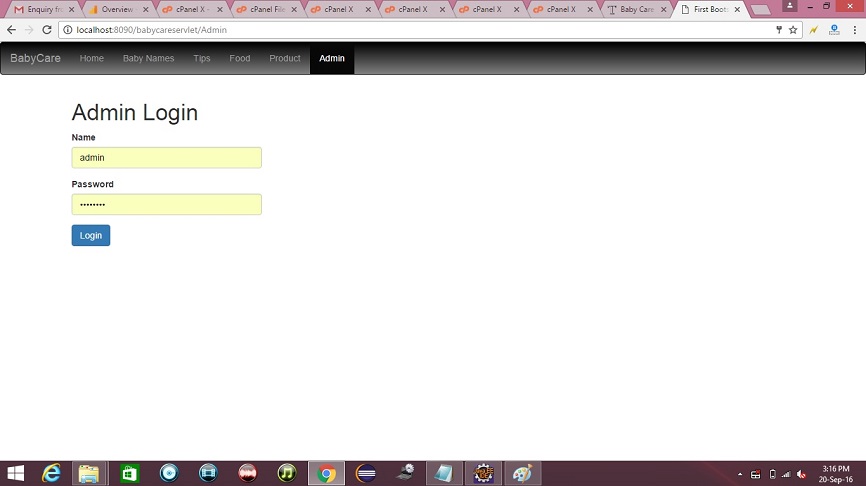
Password for Admin

Username is admin and password is admin123.

Welcome Page


credit :- javatpoint

Read More »

Company Mailer Servlet Project java ~ gniithelp

Company Mailer Servlet Project


Download Source Code

Objective/ Vision

A mailer application for a company that can be used by the employees of the company only. It can be run on interanet. Each user can send mails, receive mails and delete mails after getting logged in!

Note: We have not used professional look and feel in company mailer project just because simplicity of the project. For better look and feel see mailcasting project developed in JSP.

Users of the System

  1. User
  2. Admin

Functional Requirements

1. User
  1. Can register
  2. Can login and logout
  3. Can send mails
  4. Can see inbox
  5. Can see sent mails
  6. Can see trash
  7. Can search other employees email id
  8. Can view and update profile
2. Admin
  1. Can unauthorize the user
  2. can see current logged in members

Non-Functional Requirements

  1. Secure access of confidential data (user?s details). SSL can be used.
  2. 24 X 7 availability
  3. Browser testing and support for IE, NN, Mozila, and Firefox
  4. Reports exportable in .XLS, .PDF
  5. Create a detailed UML diagram (Component, Sequence, Class) for the system and its sub-components

User Interface Priorities

  1. Professional look and feel
  2. Use of AJAX at least with all registration forms and with every search option and at the id of each searched result with onmouseover event.

Tools to be used

  1. Use any IDE to develop the project. It may be Myeclipse / Eclipse / Netbeanse.
  2. Oracle 10g for the database.
  3. Server: Apache Tomcat/JBoss/Glassfish/Weblogic/Websphere.

Front End and Back End

  1. Front End: Servlet, HTML, CSS
  2. Back End: Oracle

How project works?

To get detail explanation about project download the document file. It includes snapshots with explanation.

Software Requirement to run this project

  1. You need to install an IDE Eclipse / Myeclipse / Netbeans.
  2. Oracle 10g database. Here, we are using system for the username and oracle for the password.

Hot to run this project

Create tables in the oracle database. All the tables are given in db.sql file. The id of all tables must be primary key and it must be generated using sequence.
Import the project on the IDE and run it.

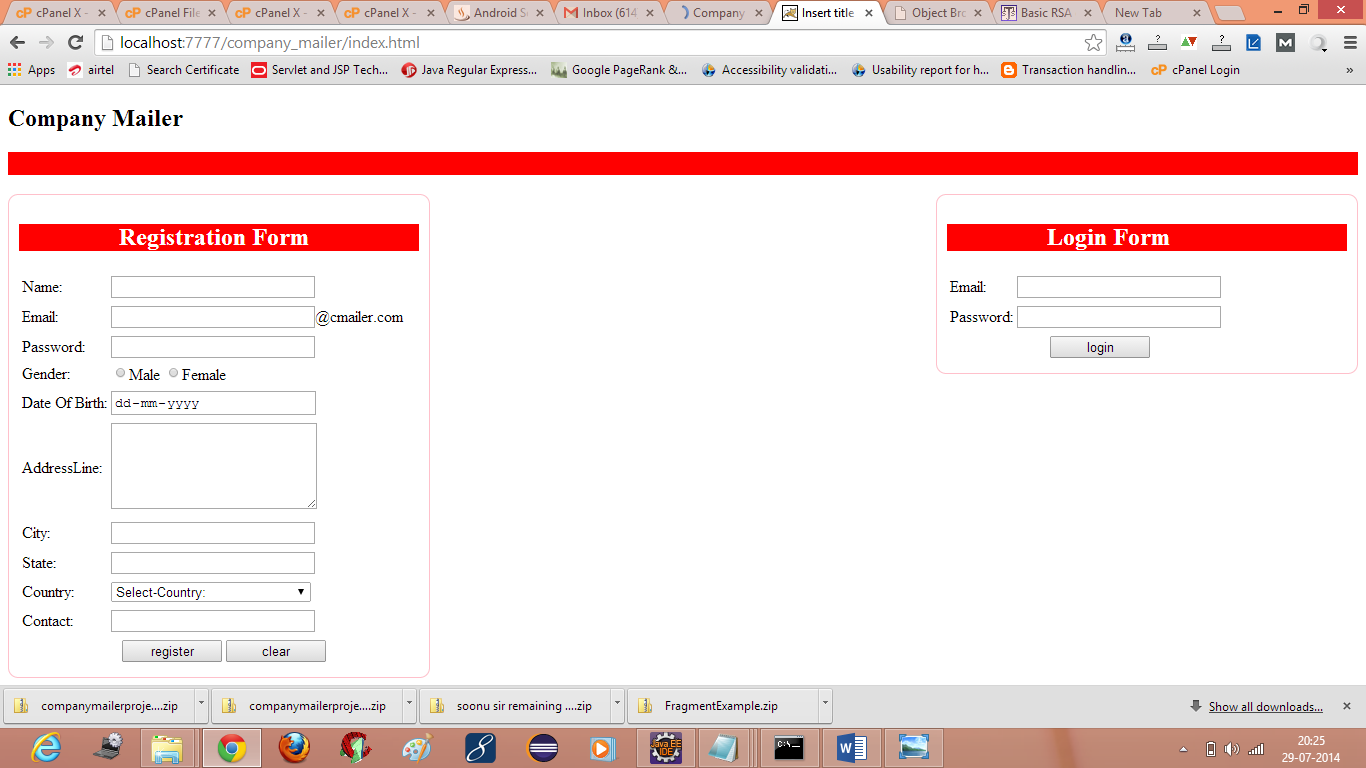
Welcome Page

company mailer servlet project mail system
credit :- javatpoint
Read More »