How to remove shortcut virus permanently? People keep on asking this question to me and it’s common, everyone who uses a computer must have faced this Shortcut virus issue. And for general people find it very difficult to remove shortcut virus.
Or if somehow they manage to remove it comes again. So we need some permanent solution for it. So here I will tell you the method to remove shortcut virus from PC and pendrive permanently with and without using any shortcut virus remover.
How to Remove Shortcut Virus?
Before we discuss it, first I want to tell you more about shortcut virus and how it spreads, how it works and how it can harm you.
What is Shortcut Virus?
Shortcut Virus is a program that spreads through flash drives, the internet, third party software etc. It creates replica of your original files and folders. And when you click on it to open your files, it multiplies itself and installs some more virus and malicious software, browser plugins, keyloggers etc.
With that, it either monitors your PC or it tries to advertise on your browsers or it can also steal your cards details.
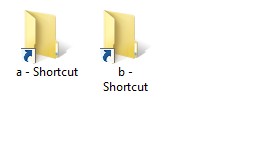
Many people think that this shortcut virus is not harmful, but they don’t know how much harm it can cost to their PC. And some people just try to remove this virus with a delete button. But after some time it comes back.
This shortcut virus is so smart that even most of the Portable antivirus Software is unable to detect it. Or if somehow they discover it or delete it, it somehow manages to recover itself. So you need to look this permanent solution to remove shortcut virusfrom your computer.
More Information:
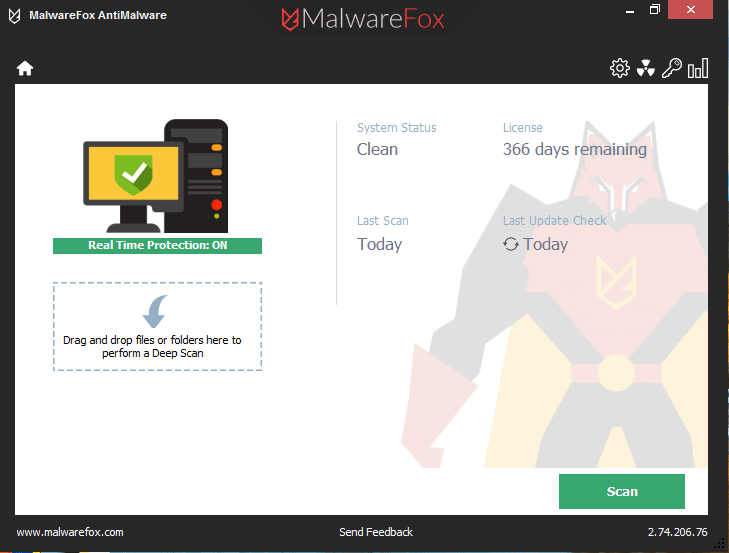
Virus is just one kind of problem of computer security. You can stay protected from all kind of malware by installing one click solution called MalwareFox Anti-malware.
It gets rids of cyber threats like adware, browser hijacker, and even the dangerous Ransomware.
Method -1: Remove Shortcut Virus Using CMD
This is the easiest way to remove shortcut virus from pen drive or PC. You do not require to download any shortcut virus remover tool for it.
- First, open CMD. Just type cmd in Run or find command prompt in the start menu.
- Now enter the name of the drive in which virus is located. : Like “f:,” if F is your drive name or any other according to drive from which you want to remove the shortcut.
- Now type ” attrib f:*.*/d/s -h -r -s ” attrib-h-r-s/s/df:\*.*
- -h: to unhide all files on drive W
- -r: create the files in drive W is free of read-only attribute.
- -s: making all files on drive W to be not part of the system again, so comfortable in the bright
- f: w drive
- *. *: All files ending in
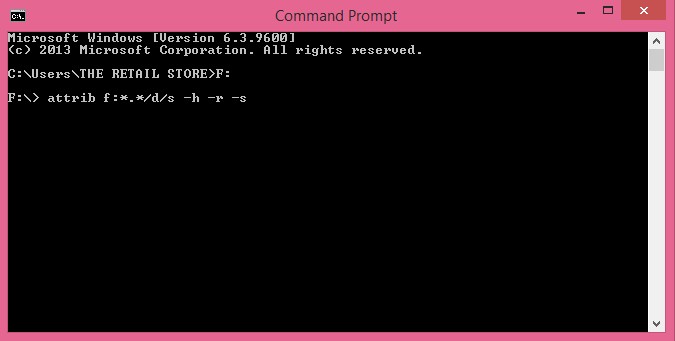
- Now this command will remove all the shortcuts from your drive.
It’s that easy to remove all shortcut virus from PC or USB flash drive using CMD.
Method 2: Remove Shortcut Virus in one click using.Bat file
In the above method, you need to do the same process for all drive again and again. But if you want to remove shortcut virus in single click then just use this method of bat file. It is very easy to create a bat file. Let’s learn how to do it.
- First Open Notepad.
- Now copy this code from here and paste it into your Notepad file.
@echo off
attrib -h -s -r -a /s /d Drive-Name:*.* attrib -h -s -r -a /s /d Drive-Name:*.* attrib -h -s -r -a /s /d Drive-Name:*.*
@echo complete
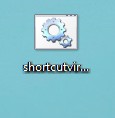
- Now replace the Drive-Name in the code with all your drives name.
- save this file as shortcutvirusremover.bat on your desktop.
- Now run this bat file.
- It will now remove all the shortcut from all the drives you mentioned in the code.
So this is fast and easy, if next time you found this virus again, only run this bat file and it will delete all.
Method 3 : Remove Shortcut Virus using Shortcut Virus Remover
If you are unable to remove shortcuts using the above cmd method, then you can use these shortcut virus remover tool to clear shortcut virus from your laptop or USB drives. This tool is helpful if you don’t want to do manual tweaks to remove this virus, and it also help in removing it permanently.
- First Download Shortcut Virus Remover Software from here.
- Now just open its folder as it does not require any installation.
- Then Just run this tool.
- Now it will ask you to select Pen Drive or Computer, from which you want to remove shortcut virus.
- If you want to remove Shortcut Virus from Pendrive, then select Pendrive option.
- If you want to remove shortcut virus from Computer, then select a computer.
- After this, you need to choose the drive from which you want to remove the virus. Then just click on Scan button.
- Now it will scan and list all the shortcut virus in a drive. Now just click on delete button, it will remove shortcut virus from your PC.
These are the ways to remove shortcut virus from your PC, Pendrive, Laptop or Computer. I think it’s easy now to remove shortcut virus without any tool using cmd or bat file and if it does not work for you then you can download shortcut virus remover tool and then in one click you can remove all the shortcut virus permanently so they will not come back again.