Showing posts with label java assignments. Show all posts

Friday, 11 August 2017

Apps to Hide Caller Id in Android ~ gniithelp

Apps to Hide Caller Id in Android
In Smart Phones like Android already has some inbuilt feature to hide phone number. But due to some conditions in some countries, this feature is blocked. But don’t worry there are many android apps available on Android Market that helps you to hide your phone number.

Apps to Hide Caller Id in Android

Secret Call – hide Caller ID : Its a free app available on Android Play Store to hide phone number or caller id.

Apps to Hide Phone Number in Android“Secret Call” allows you to initiate calls secretly, meaning hiding your Caller ID. This unique application gives you the choice to hide or show your number whenever you call someone.
Its very easy to Hide phone number using this Android app.
When you call someone, it will ask you hide/show your caller ID. Just select the desire option. And your number is private now.
Hide Phone Number Caller ID: This app is freely available on google play. This app basically add a some pre codes to the number you are dialing. Like in my previous tutorial i told you about some codes. Now using this app you don’t have to remember those codes. It will automatically add that to your number.
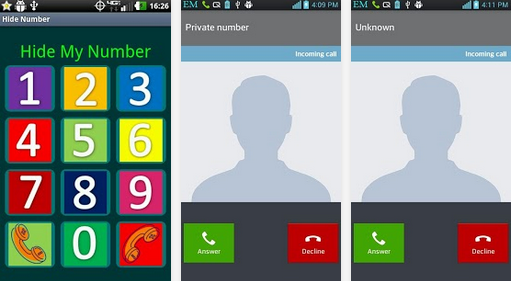
how to hide caller idWhen you call using this, on called party screen it will display
Private number
– Unknown number
– Number not available
– Withheld number
– etc.
But this app does not work for India. Due to some rules and conditions of Indian Government.
Hide My Caller ID Phone Number : Another free app to hide caller id in Android. This app claims that it works for USA, Uk and India. But for me it does not work.
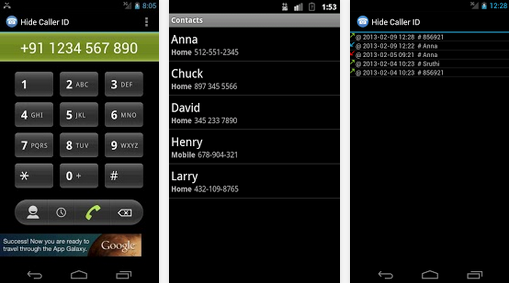
Apps to Hide Phone Number in AndroidA very cool app that automatically blocks your phone number from appearing on receivers’ phones – it will hide your phone number caller ID. You can let other party see only Private Number.
It supports most mobile operator.
Hide Number (Caller Id): Its a premium app but had great features. It support many operator. You can set whether you want to block your caller id for all number or for some specific number.
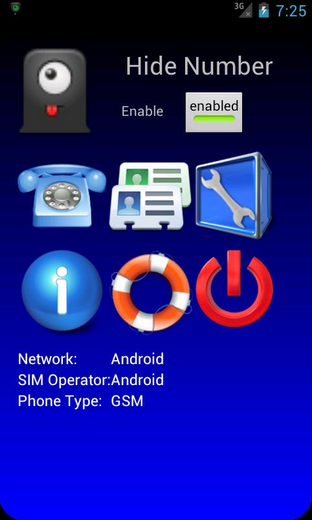
Hide phone no

But in India, these services does not work. You have to request your service provider for this. Or you can use third party services.
Due toy strict rules of Indian Government, mobile operator does not allow you to call as a private number.
But in other countries like US, Canada these apps work very well.
Read More »

Wednesday, 2 August 2017

Company Mailer Servlet Project java ~ gniithelp

Company Mailer Servlet Project


Download Source Code

Objective/ Vision

A mailer application for a company that can be used by the employees of the company only. It can be run on interanet. Each user can send mails, receive mails and delete mails after getting logged in!

Note: We have not used professional look and feel in company mailer project just because simplicity of the project. For better look and feel see mailcasting project developed in JSP.

Users of the System

  1. User
  2. Admin

Functional Requirements

1. User
  1. Can register
  2. Can login and logout
  3. Can send mails
  4. Can see inbox
  5. Can see sent mails
  6. Can see trash
  7. Can search other employees email id
  8. Can view and update profile
2. Admin
  1. Can unauthorize the user
  2. can see current logged in members

Non-Functional Requirements

  1. Secure access of confidential data (user?s details). SSL can be used.
  2. 24 X 7 availability
  3. Browser testing and support for IE, NN, Mozila, and Firefox
  4. Reports exportable in .XLS, .PDF
  5. Create a detailed UML diagram (Component, Sequence, Class) for the system and its sub-components

User Interface Priorities

  1. Professional look and feel
  2. Use of AJAX at least with all registration forms and with every search option and at the id of each searched result with onmouseover event.

Tools to be used

  1. Use any IDE to develop the project. It may be Myeclipse / Eclipse / Netbeanse.
  2. Oracle 10g for the database.
  3. Server: Apache Tomcat/JBoss/Glassfish/Weblogic/Websphere.

Front End and Back End

  1. Front End: Servlet, HTML, CSS
  2. Back End: Oracle

How project works?

To get detail explanation about project download the document file. It includes snapshots with explanation.

Software Requirement to run this project

  1. You need to install an IDE Eclipse / Myeclipse / Netbeans.
  2. Oracle 10g database. Here, we are using system for the username and oracle for the password.

Hot to run this project

Create tables in the oracle database. All the tables are given in db.sql file. The id of all tables must be primary key and it must be generated using sequence.
Import the project on the IDE and run it.

Welcome Page

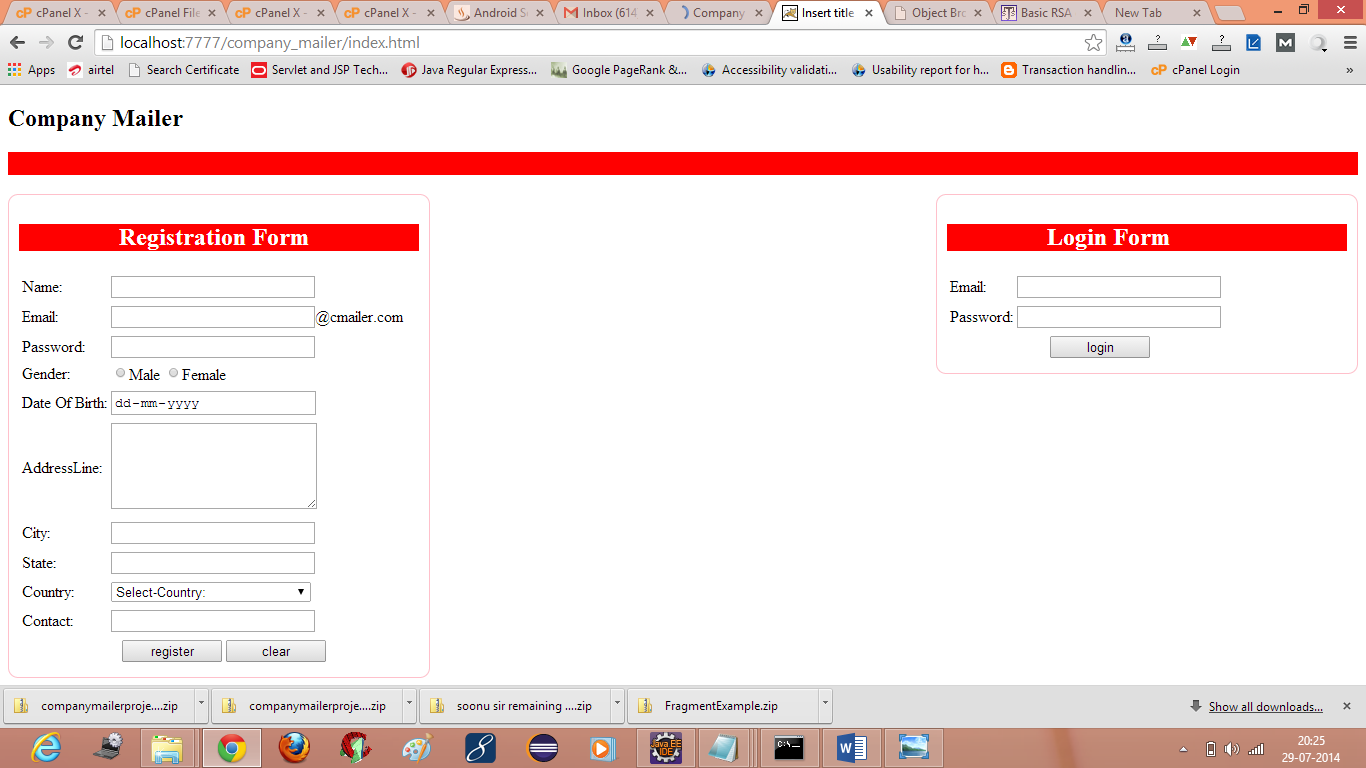
company mailer servlet project mail system
credit :- javatpoint
Read More »

Pharmacy Project java ~ gniithelp

Pharmacy Project


The description of the project will be available soon. But you can download the project.

Non-Functional Requirements

  1. Secure access of confidential data (user?s details). SSL can be used.
  2. 24 X 7 availability
  3. Browser testing and support for IE, NN, Mozila, and Firefox
  4. Reports exportable in .XLS, .PDF
  5. Create a detailed UML diagram (Component, Sequence, Class) for the system and its sub-components

User Interface Priorities

  1. Professional look and feel
  2. Use of AJAX atleast with all registration forms and with every search option and at the id of each searched result with onmouseover event.
-->

Tools to be used

  1. Use any IDE to develop the project. It may be Myeclipse / Eclipse / Netbeanse.
  2. Oracle 10g for the database.
  3. Server: Apache Tomcat/JBoss/Glassfish/Weblogic/Websphere.

Front End and Back End

  1. Front End: JSP, JDBC, Javascript, AJAX
  2. Back End: Oracle

How project works?

To get detail explanation about project download the document file. It includes snapshots with explanation.

Software Requirement to run this project

  1. You need to install an IDE Eclipse / Myeclipse / Netbeans.
  2. Oracle 10g database. Here, we are using system for the username and oracle for the password.

Hot to run this project

Import the project on the IDE and run it. All the tables will be created automatically.

Welcome Page


credit :- javatpoint
Read More »